
ICTO Tips – Windows 11 Update Now Available
ICTO小貼士 - Windows 11 更新現已推出

隨著 Microsoft 即將終止對 Windows 10 的支援,現在是升級至 Windows 11 的適當時機。
ICTO 現已提供 Windows 11 的安裝包,Windows 10用戶可手動進行更新。完成升級後,可確保您的電腦在安全、可靠並且獲得 Microsoft 完整支援的環境下運作。
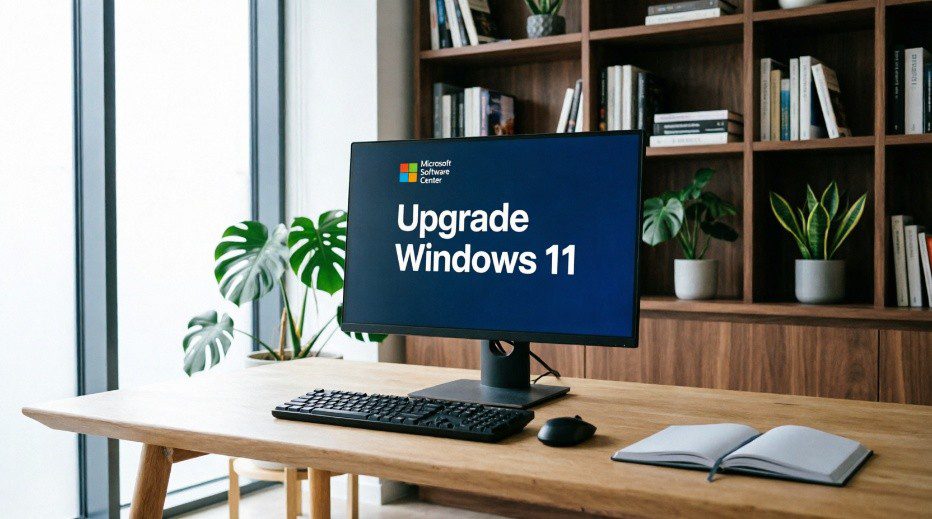
為什麼要升級?
- 更完善的安全性與威脅防護
- 更現代化、更簡潔的介面
- 效能提升
- 備份重要檔案
- 裝置須配備 Intel Core 第 8 代或更新的處理器(例如 i5-8xxx、i7-8xxx)
- 確保至少有26GB 可用空間
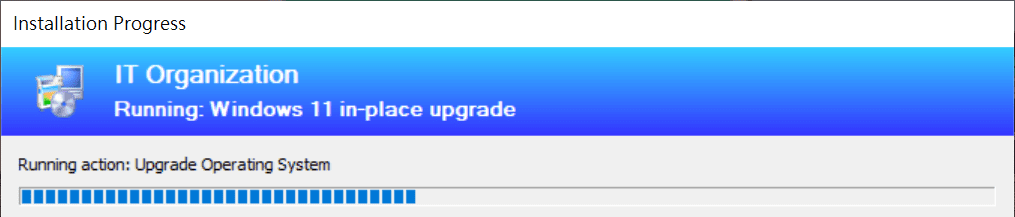
- 更新開始後,您可以如常使用電腦。檔案下載完成後,系統將在 5 分鐘後自動重新啟動。重啟後,更新程序約需 40 分鐘完成。建議您在下班後或空閒時間才進行更新。
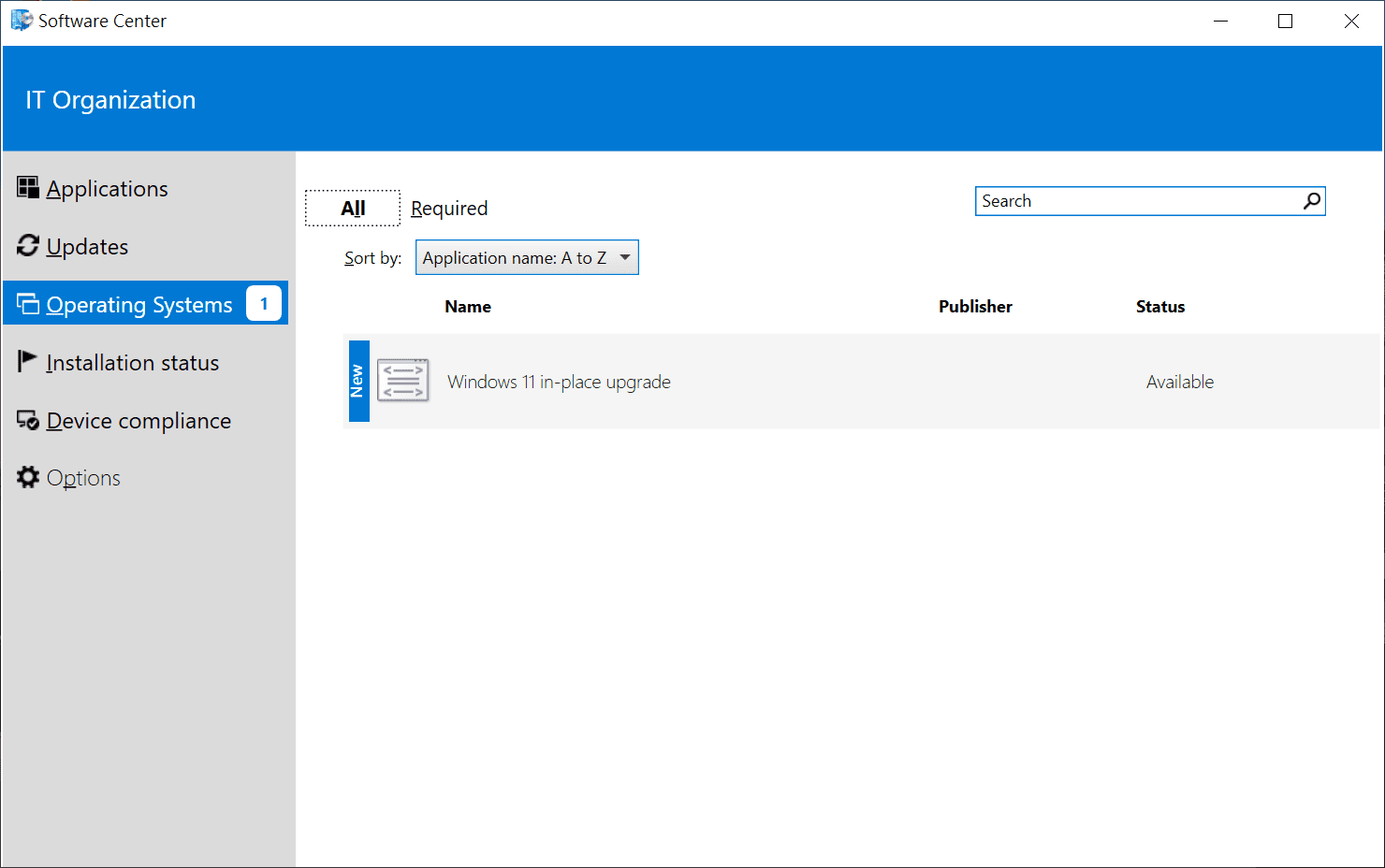
- 點擊左下角放大鏡,搜索軟件中心 (Software Center)
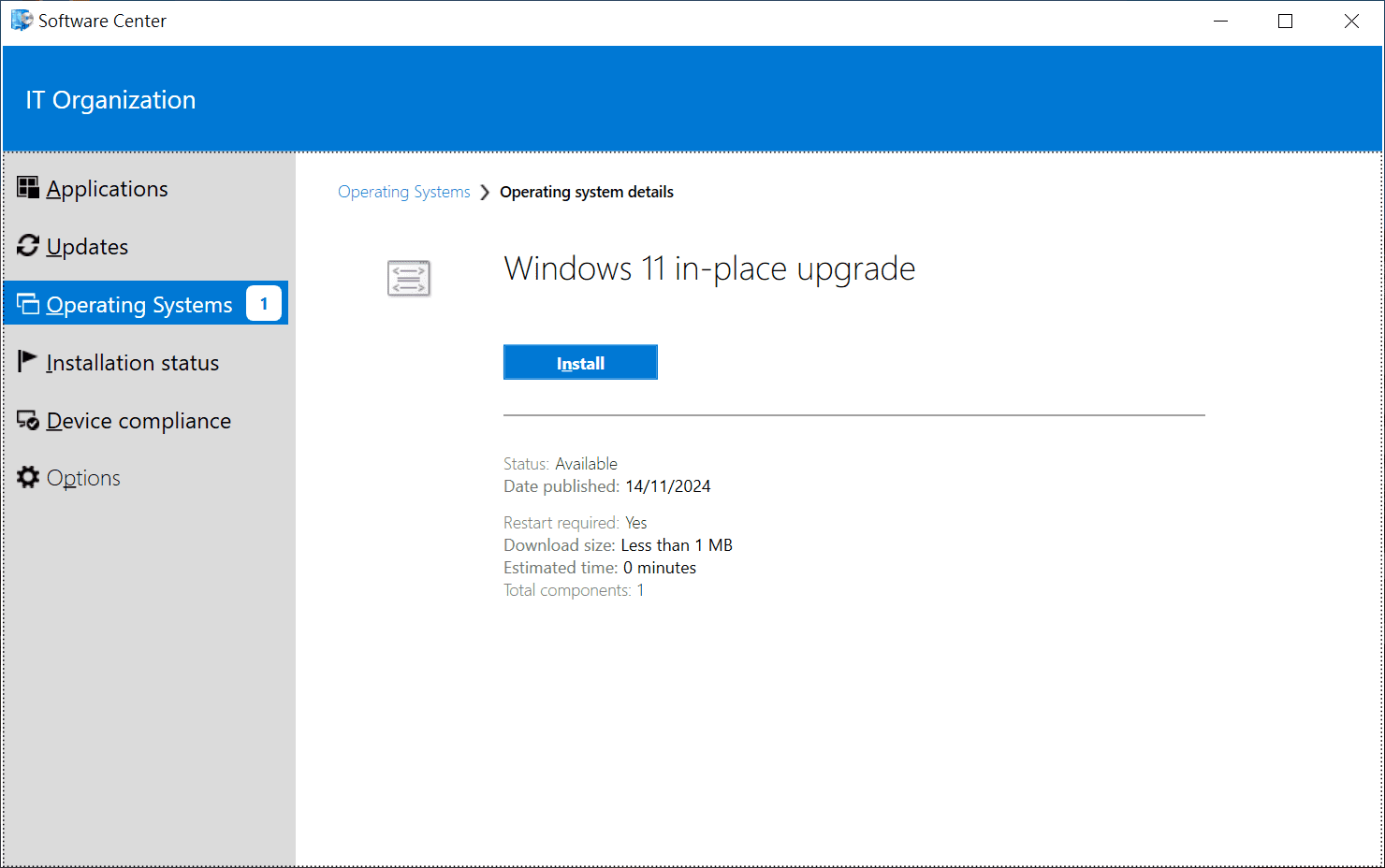
- 選擇Operating Systems → Windows 11

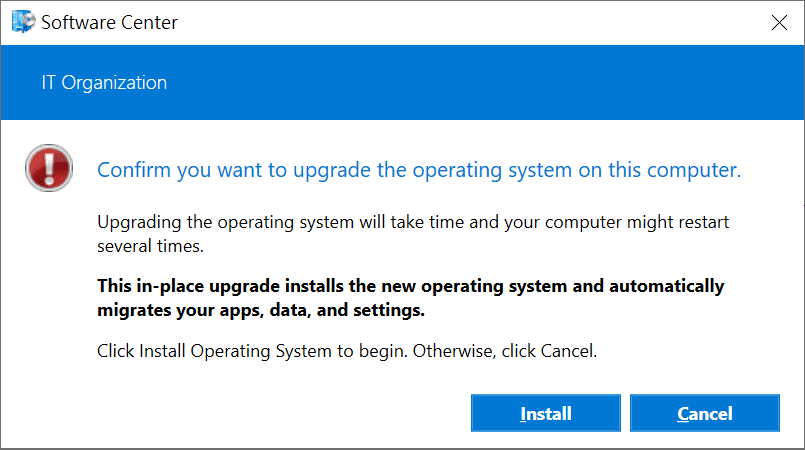
- 點擊Install (確保至少有26GB 可用空間)
- 當更新程序開始時,您可以如常使用電腦。下載完成後,系統將在 5 分鐘後強制重新啟動。
- 電腦重新啟動後,大約需要 40 分鐘完成整個程序。
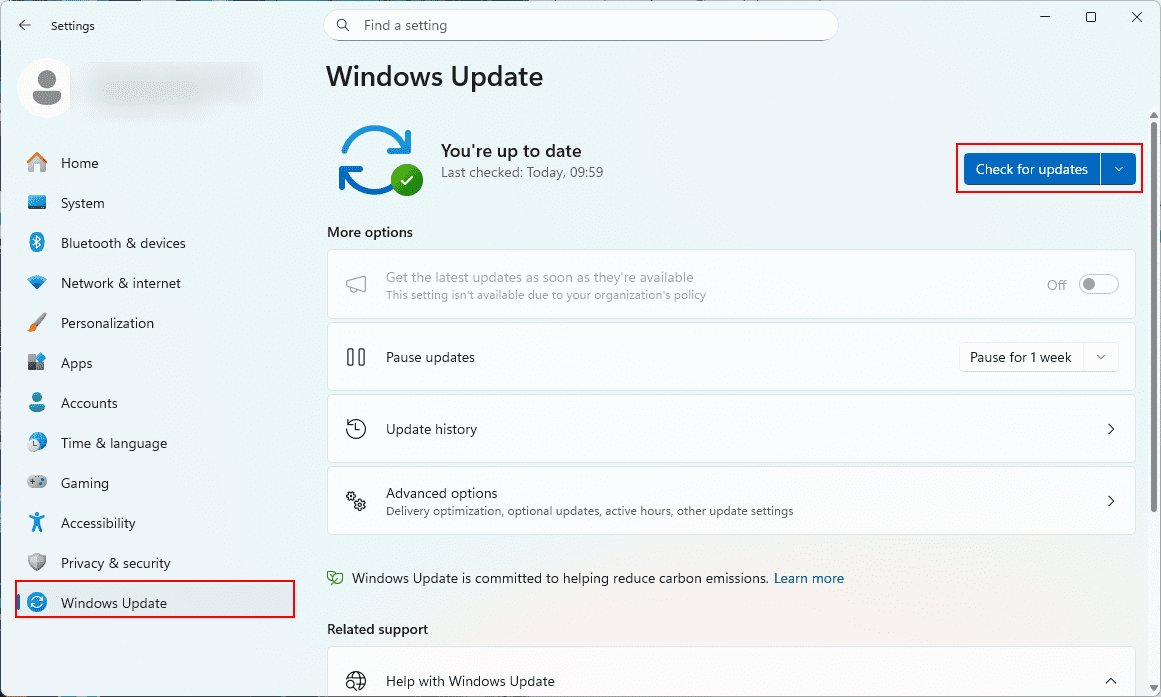
- 重啓後,操作系統已完成更新。請按Win + i → Windows Update → 並進行進一步的更新。
為避免因使用即將停止支援的系統而產生的資安風險與相容性問題,建議盡早完成升級。如有任何疑問,請與我們的服務中心聯絡。
更多關於Windows 11的詳情可參閱Windows 11問題集。
資訊及通訊科技部服務中心
| 位置 : | 中央教學樓東5座(E5)2085室 電子地圖 |
| 電話 : | 8822 8600 |
| 電郵 : | icto.helpdesk@um.edu.mo |
Why upgrade?
- Better security and threat protection
- Modern, cleaner interface
- Improved performance
- Back up your important files
- Device has an Intel Core 8th generation processor or newer (e.g., i5-8xxx, i7-8xxx)
- Ensure at least 26GB of free disk space is available
- When the update process starts, you can continue using your computer. After the download finishes, it will reboot and then take approximately 40 minutes to complete. To avoid interruption, we recommend running the installation after work or during an idle period.
- Click on the magnifying glass in the lower left corner and search for Software Center
- Select Operating Systems → Windows 11
- Click Install. (ensure at least 26GB of free space)
- When the installation process starts, you can continue to use the computer. After the download finishes, it will force a reboot in 5 minutes.
- After the computer reboots, it will take approximately 40 minutes to finish the process.
- After restart, the operating system update is completed. Please press Win + i → Windows Update → install any remaining updates.
Upgrading now can help you avoid security risks associated with using unsupported software and reduce potential system instability issues.
For more information about Windows 11, please visit Windows 11 FAQ.
ICTO Help Desk
| Location : | Room 2085, 2/F, Central Teaching Building (E5) eMap |
| Telephone : | 8822 8600 |
| Email : | icto.helpdesk@um.edu.mo |