
ICTO Tips – Easily Submit and Track Your IT Service Requests
ICTO小貼士 - 輕鬆提交、隨時追蹤您的 IT 服務申請

各位同事:
IT服務管理系統提供一站式IT服務申請,讓您輕鬆提交技術支援和服務申請,隨時掌握進度。
主要功能:
- 便捷瀏覽服務分類及表格
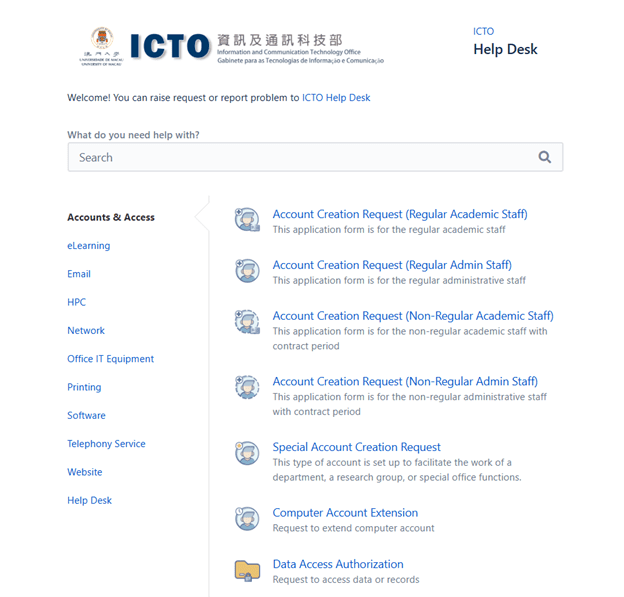
透過左邊面板輕鬆瀏覽各服務類別及申請表格。只需點擊類別,即可查看相關可用表格。
- 清晰的申請概覽
系統會清晰區分您已提交的申請和待您審批的申請(如有)。
- 您的意見至關重要
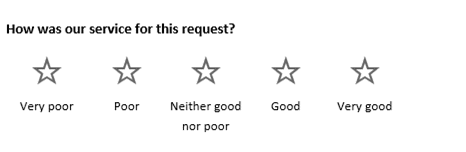
服務完成後您將收到電郵通知,點擊郵件中的「星號」開始進行評分並提交反饋。

- 透過電郵快速批核申請
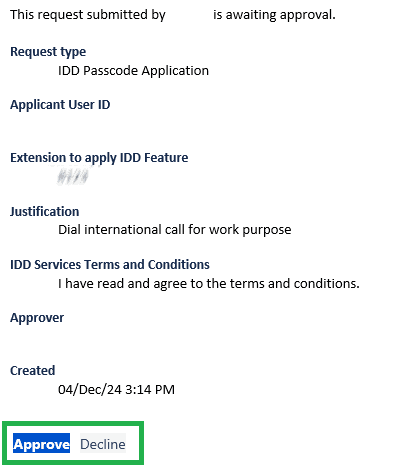
部門審批人可以直接在審批郵件中點擊「Approve」或「Decline」按鈕,直接審批或拒絕申請。
如何提交申請:
登入https://helpdesk.icto.um.edu.mo,選擇服務類別及申請表格,填寫所需資料後提交。
其他常見問題集:
往期小貼士:
資訊及通訊科技部服務中心
| 位置 : | 中央教學樓東5座(E5)2085室 電子地圖 |
| 電話 : | 8822 8600 |
| 電郵 : | icto.helpdesk@um.edu.mo |
To: All Colleagues
IT Service Management System provides a one-stop portal for all of your IT service requests, allowing you to easily submit support tickets or service requests and track progress at any time.
Key Features:
- Easy Navigation
Access service categories and request forms easily through the left panel. Simply click a category to view available forms.
- Clear Request Overview
The system clearly separates your submitted requests and any requests pending your approval (if applicable).
- Feedback Matters
After a request is completed, you’ll receive an email notification with a quick and easy way to rate your experience – just click the “star” rating and add any comments.
- Streamlined Approvals
Department approvers can approve or decline requests directly from the approval email by clicking the “Approve” or “Decline” button.
How to Submit a Request:
Log in to https://helpdesk.icto.um.edu.mo, select the service category, choose the request form, complete the required information, and submit.
Other FAQs:
Previous ICTO Tips:
ICTO Help Desk
| Location : | Room 2085, 2/F, Central Teaching Building (E5) eMap |
| Telephone : | 8822 8600 |
| Email : | icto.helpdesk@um.edu.mo |